A clear starting point
Organize clients in one workspace
Create client records, keep contact details together and start a verification request from the client profile.
CLIENT IDENTITY WORKFLOWS
Manage client records, choose the checks your workflow needs, and give clients a guided way to complete them. Review the request and results in one workspace.
Verification fees apply. Review the price before starting a check.
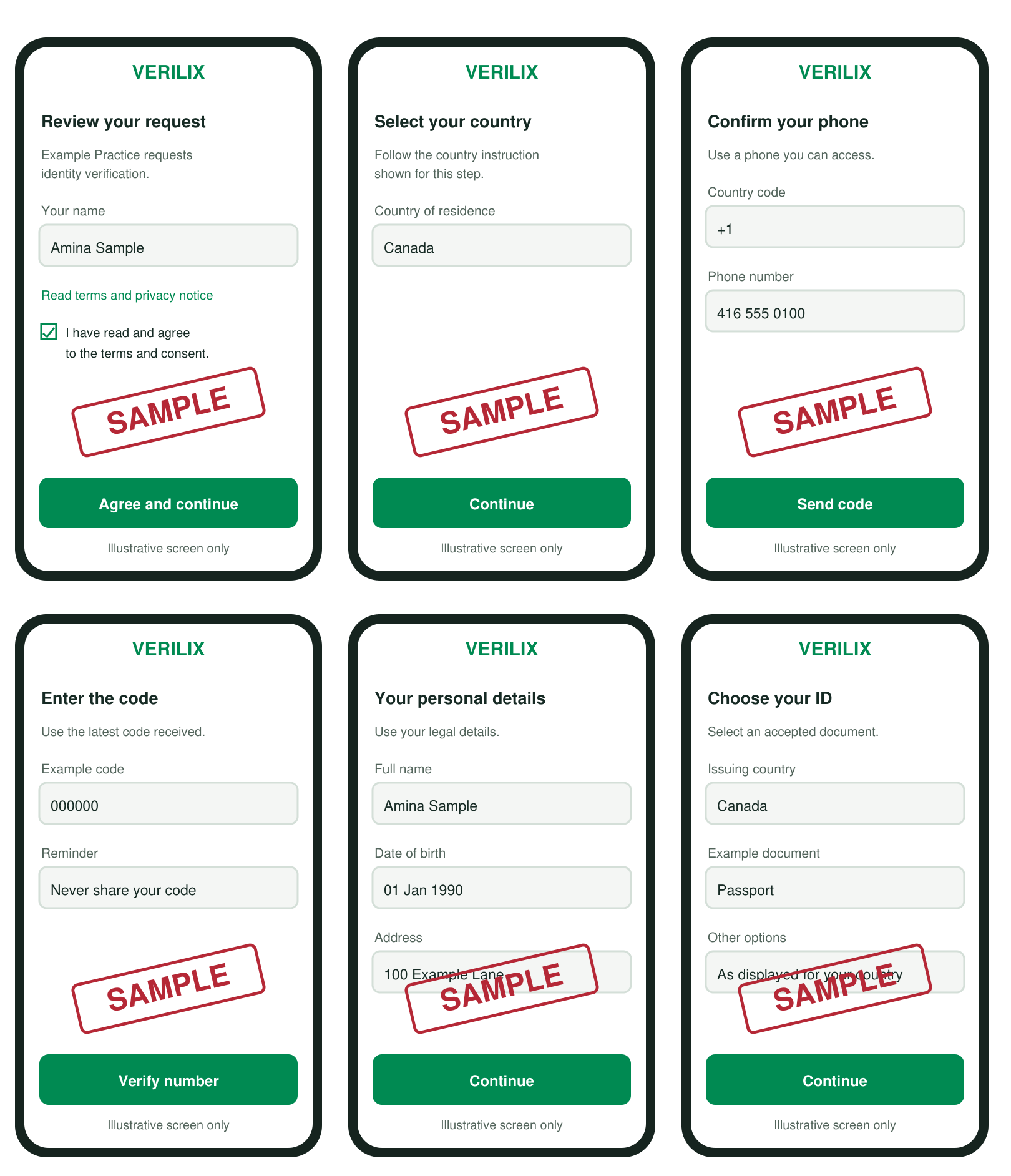
A guided client journey
Illustrative screens from the user guide
A complete workflow
Bring the steps around a verification request into one place, while keeping the client informed about what they need to do.
A clear starting point
Create client records, keep contact details together and start a verification request from the client profile.
Choose the checks needed
Select a government ID check, a data-source check with a live selfie, or a combined document and selfie workflow.
Remote or together
Email a secure verification link or start the client flow on your device while the client is with you.
Know what applies
Choose the issuing country for document checks. Accepted IDs and available checks depend on country coverage.
Follow the whole request
See the request status and available check results together. A submitted session can still be processing or need review.
Consent before capture
The client reviews the request information and consent before moving through the checks that were requested.
How Verilix works
Choose the checks and country, review the quote, then invite the client or start together. The actual steps depend on the request and the methods available.
Read the illustrated guideConfirm the client record and the address where a remote link should be sent.
Select the verification type and, for document requests, the country that issued the ID.
Check the quote before payment, then send the client a link or complete the steps together.
Distinguish a submitted session from a result still processing or a confirmed outcome.
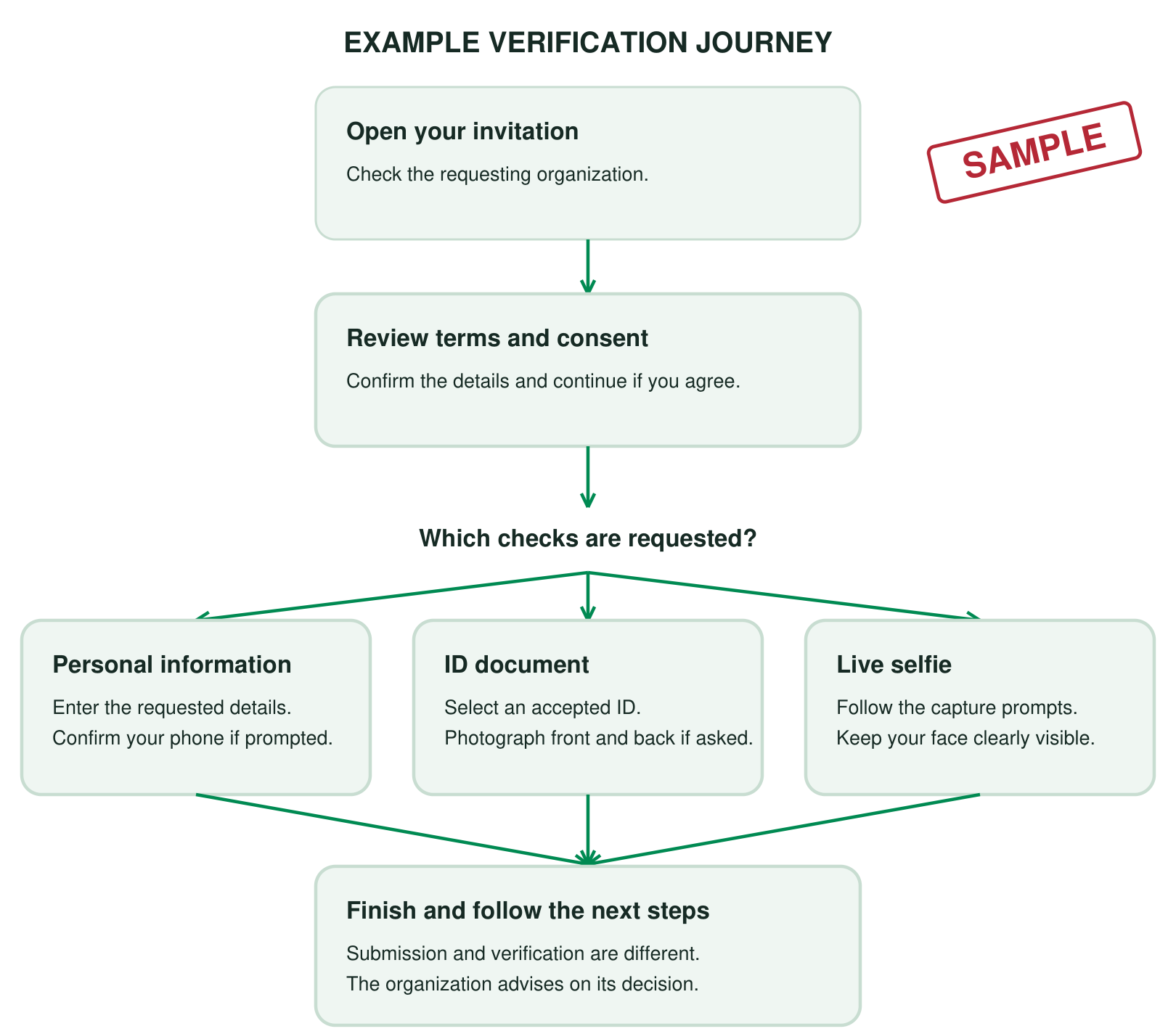
Flexible by request
A workflow may ask for personal information, an accepted ID, a live selfie or other enabled checks. The combination and order can vary by country and request.
Transparent pricing
Choose the verification type and, for document checks, the country that issued the ID. All prices are in U.S. dollars, before applicable taxes.
Government ID verification
$5–$10 USD
Group A $5 · Group B $7 · Group C $10
Data Source verification + live selfie. No document photo.
$3 USD
Flat price across country groups
Data Source + document verification + live selfie.
$8–$13 USD
Document group price + $3 selfie check
Country coverage and accepted IDs vary. The quote shown in the app for the selected verification type and country is the amount to review before payment. Find a country’s group.
Verilix enables each method where that method is available. Accepted documents and available checks vary by country. For document verification, select the country shown as the ID’s issuing country.
After submission
Review the overall result with the individual checks that are available. If the request needs attention, check the reason before deciding whether to retry or use another method.
How to read the result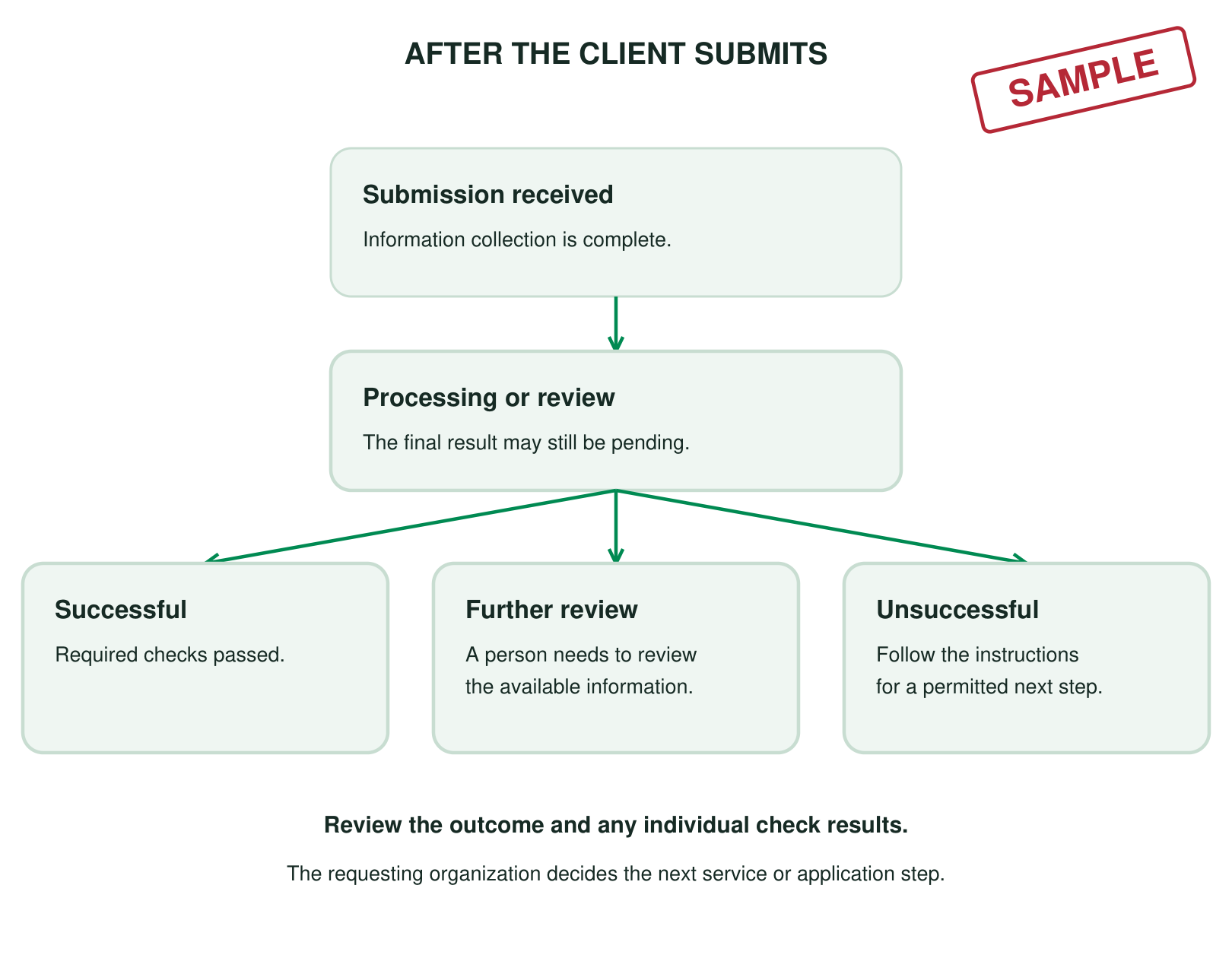
Questions
No. Submission means the client finished the information collection steps. The result may still be processing, need review or be unsuccessful. The requesting organization reviews the outcome and decides what happens next.
Choose the country that issued the ID. It can differ from the client’s country of residence or nationality.
Yes. Choose “Do it with them now” to start on the current device after payment. The client must personally review the terms and complete any requested live capture.
No. Available methods and accepted IDs vary by country. The options shown for a request reflect the workflow and country selected.
Need a step-by-step walkthrough? Read the illustrated user guide.
Take the next step
Create a workspace to explore the app, or book a product walkthrough with our team.